My fork of BloodHound Legacy keeps Legacy 4.3.1's readable graph and adds support for the data BloodHound Community Edition (CE) collects. Version 1.1.2 caught it up with the latest collectors' edges. Versions 1.2.0 and 1.3.0 are about the nodes: proper Node Info panels for AD Sites and AD CS, control sections for more object types, and a tidier properties view.
Sites get the most attention below, because they're also one of the most overlooked paths to a domain controller.
All screenshots use a small fictional domain (CORP.LOCAL) built for this write-up. No customer or production data is shown.
At a Glance
| Area | What changed | Version |
|---|---|---|
| AD Sites | Site, SiteServer and SiteSubnet panels; GPO and Computer panels know about sites; AD Sites counts in Database Info | 1.2.0 |
| AD CS | Panels for EnterpriseCA, RootCA, AIACA, NTAuthStore, CertTemplate and IssuancePolicy, with the PKI hierarchy and inbound control rights | 1.3.0 |
| Local accounts | ADLocalGroup and ADLocalUser panels | 1.3.0 |
| Control sections | Base, Container, OU, Azure device and Azure role panels gain control sections | 1.3.0 |
| Panels | Object type next to the name; one Node Properties section using CE's display names | 1.3.0 |
| Look and feel | CE icons in search results; update badge on the About button; graph images default to 0% padding | 1.2.0 |
AD Sites Panels (1.2.0)
Sites, site servers and site subnets now use CE's icons and colours, replacing the old glyphs.
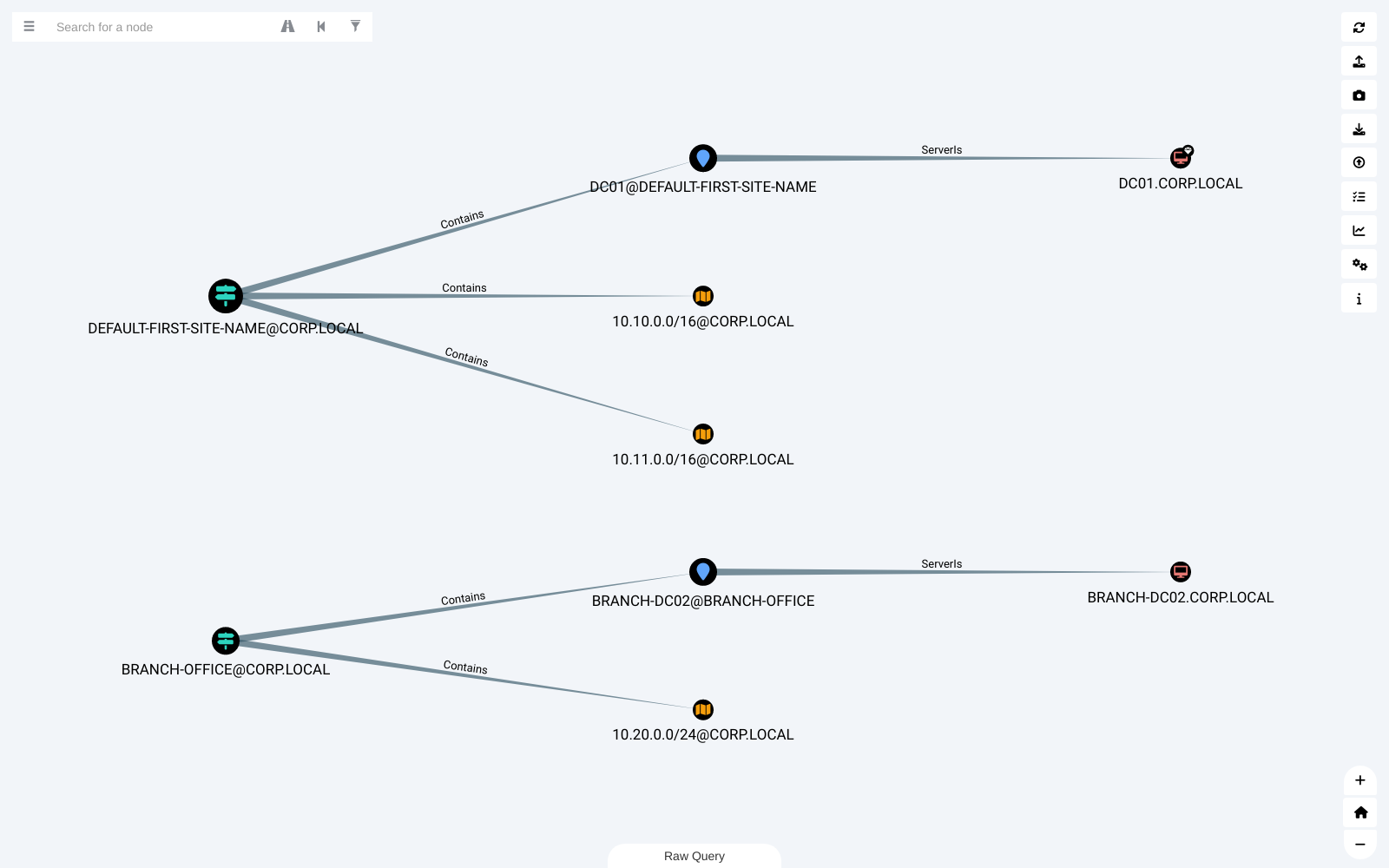
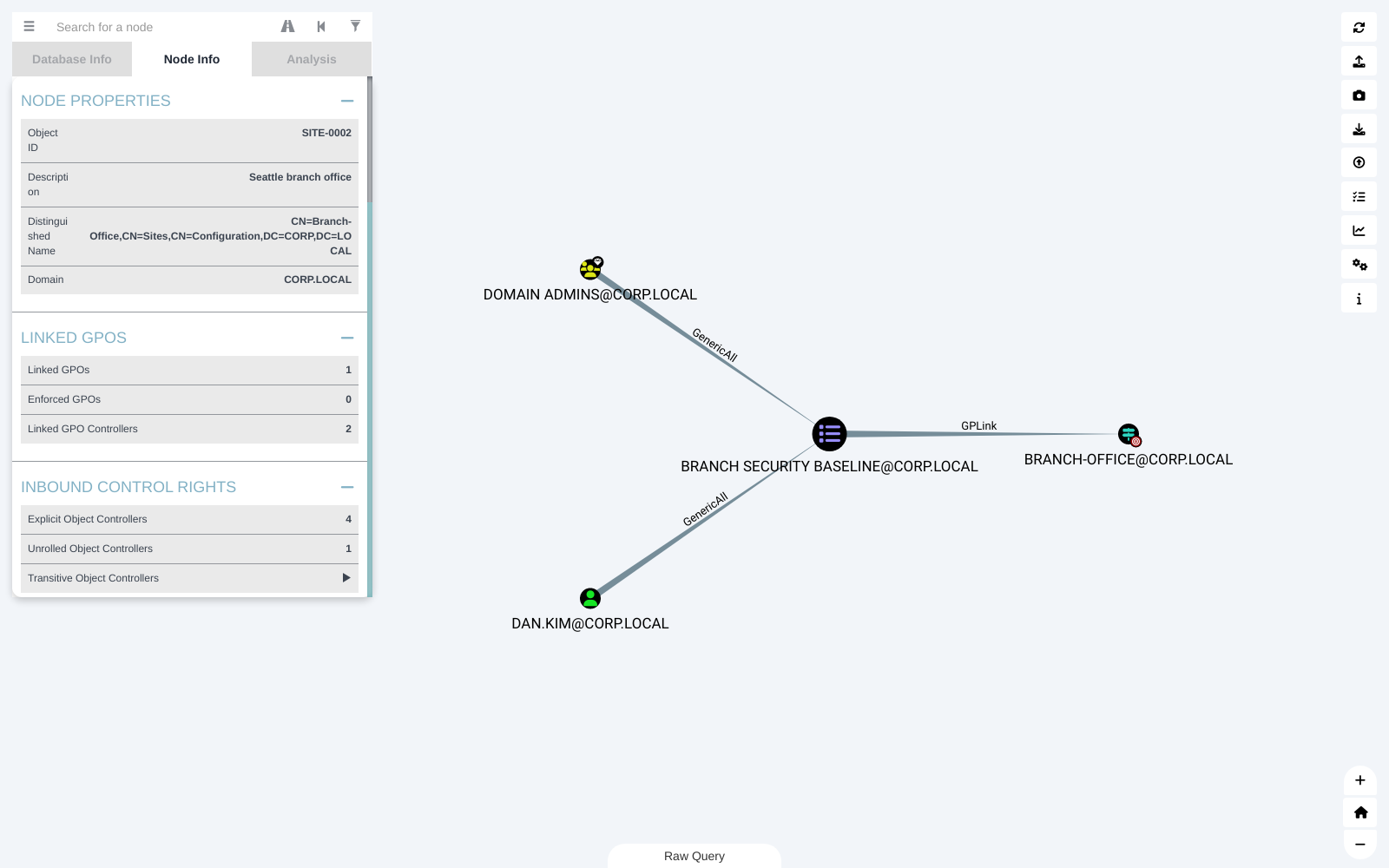
A Site panel lists its site servers, subnets and server computers, the GPOs linked to it (and which are enforced), who controls those GPOs, and who has control rights over the site itself.
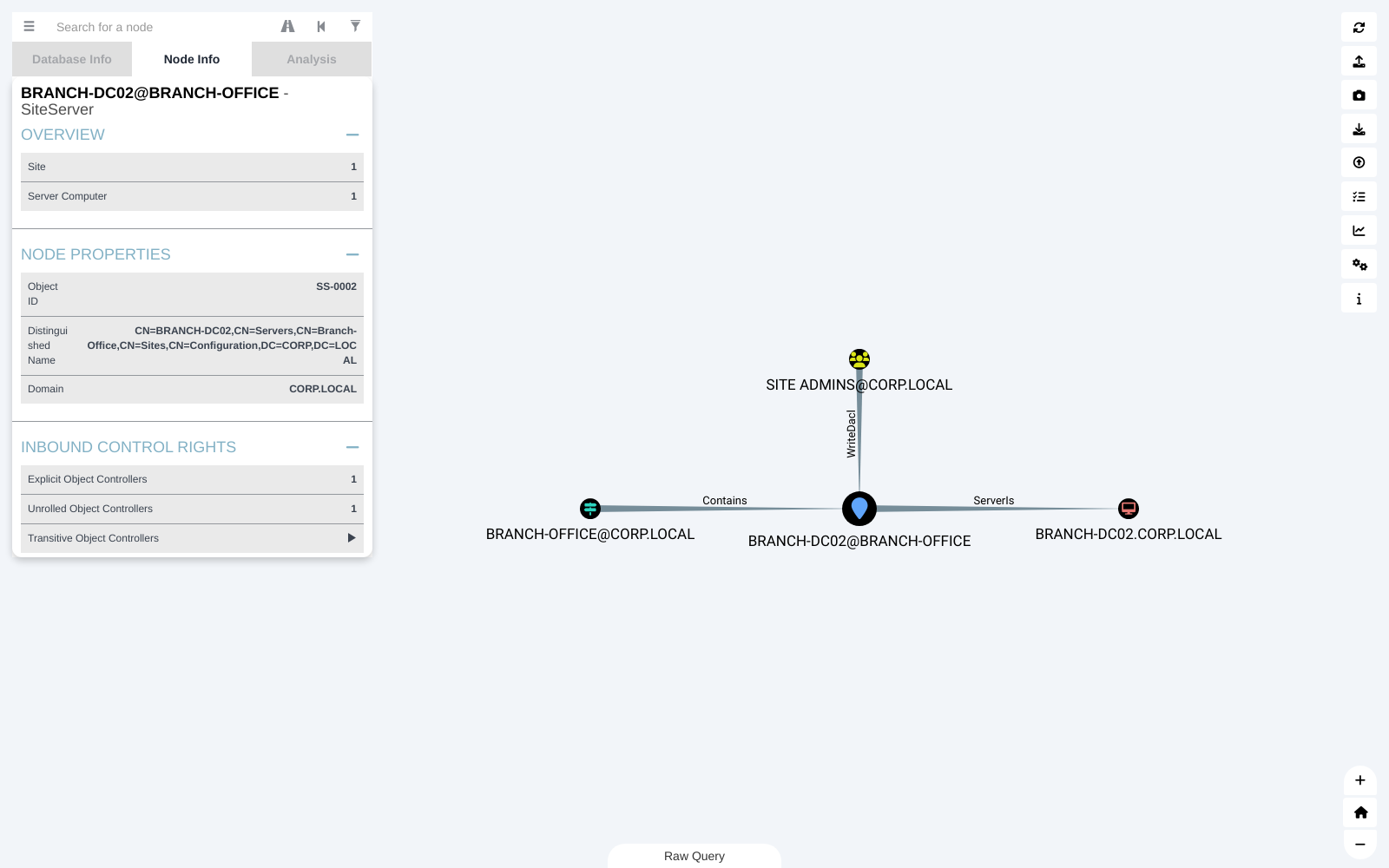
SiteServer and SiteSubnet have their own panels too, each with inbound control rights.
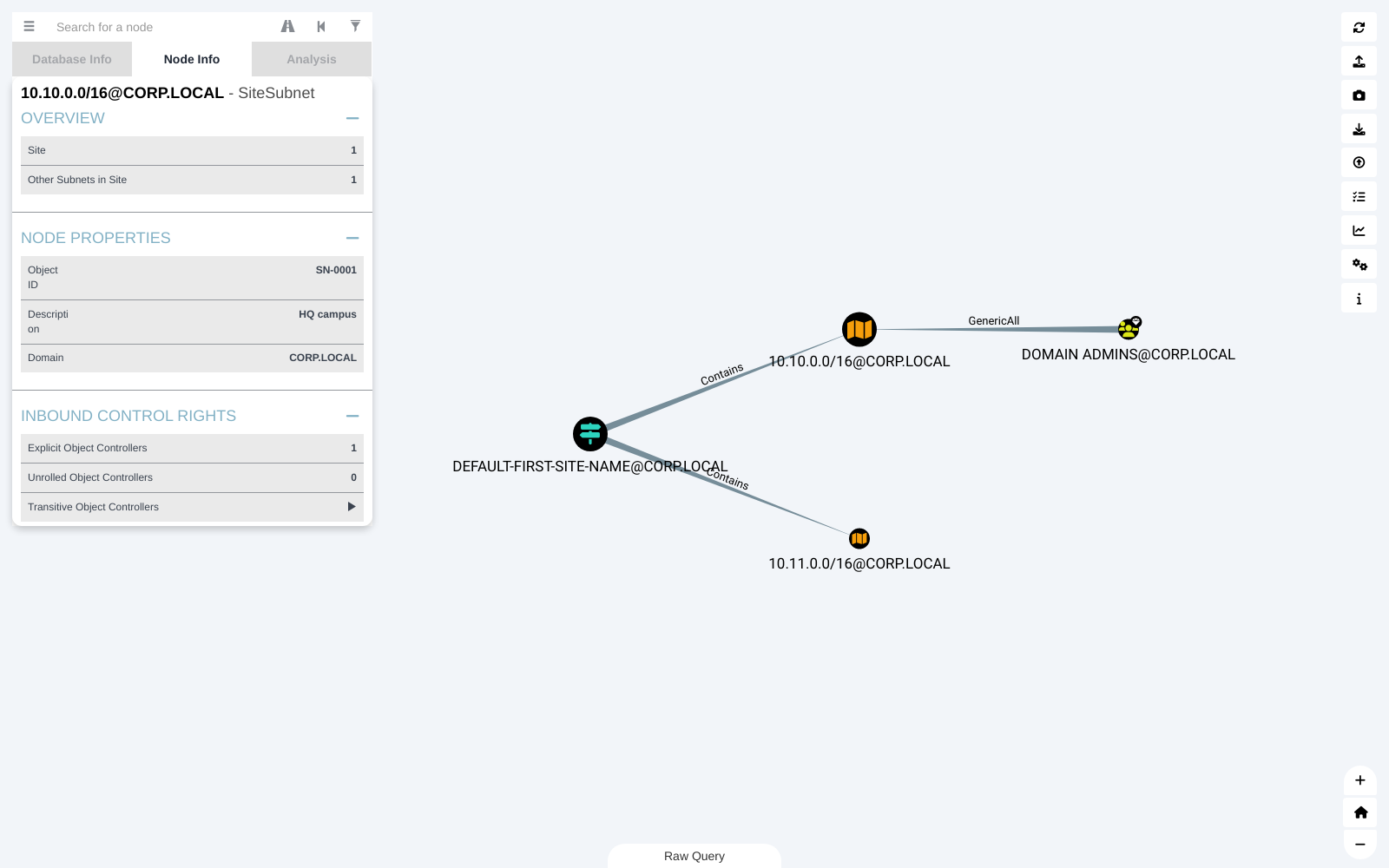
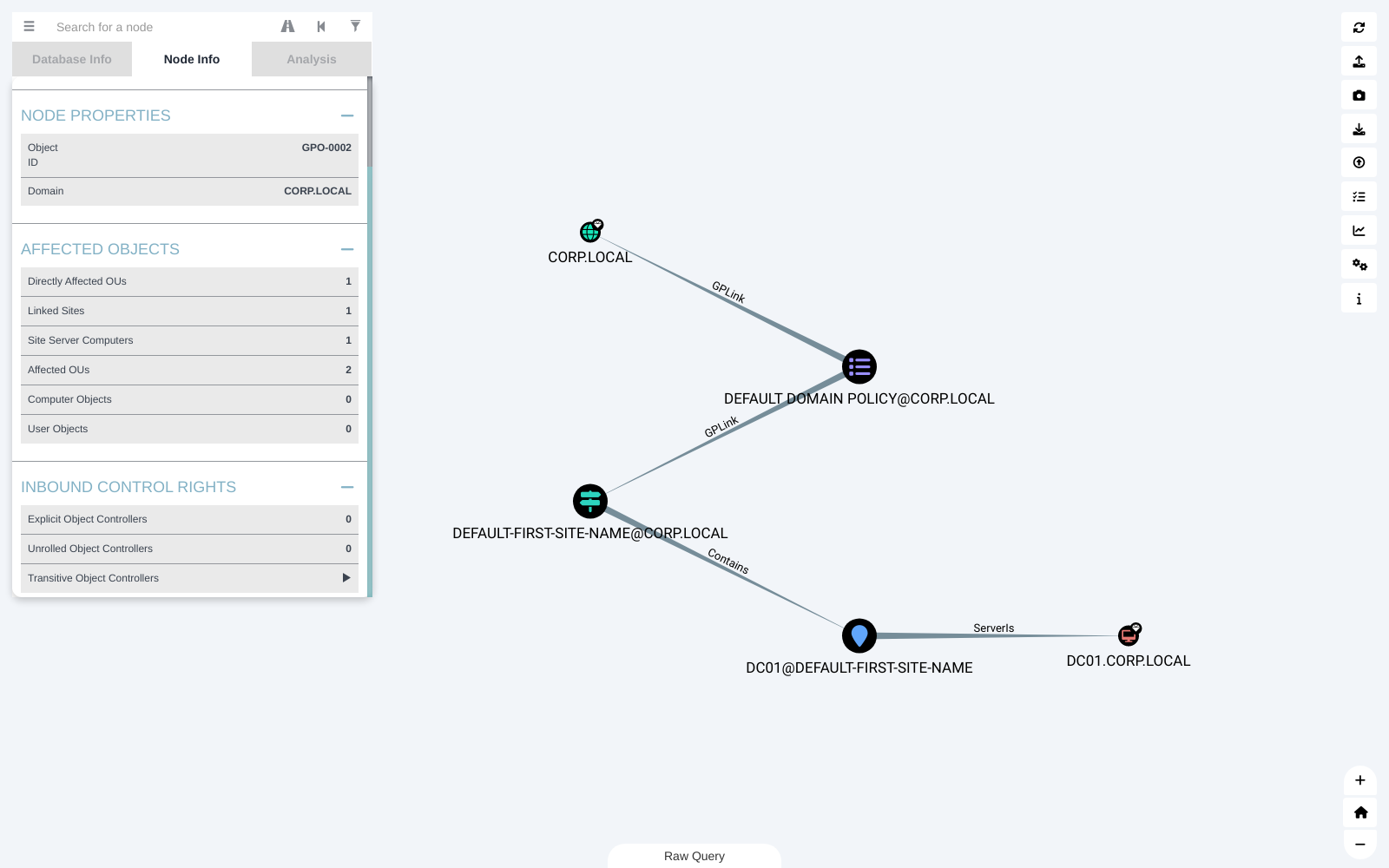
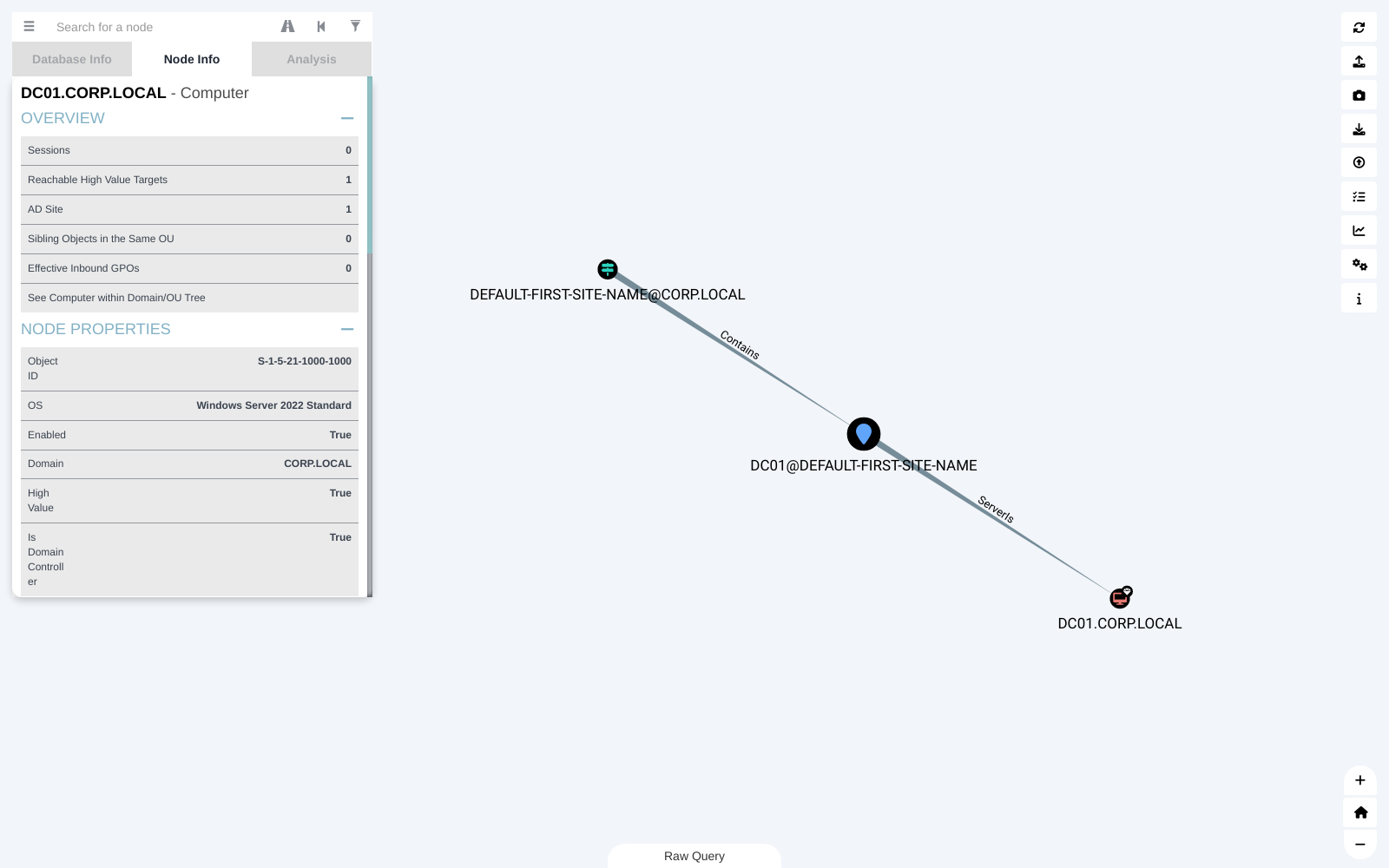
The GPO panel now separates sites from OUs, with new Linked Sites and Site Server Computers rows. The Computer panel shows an AD Site row for domain controllers and site servers.
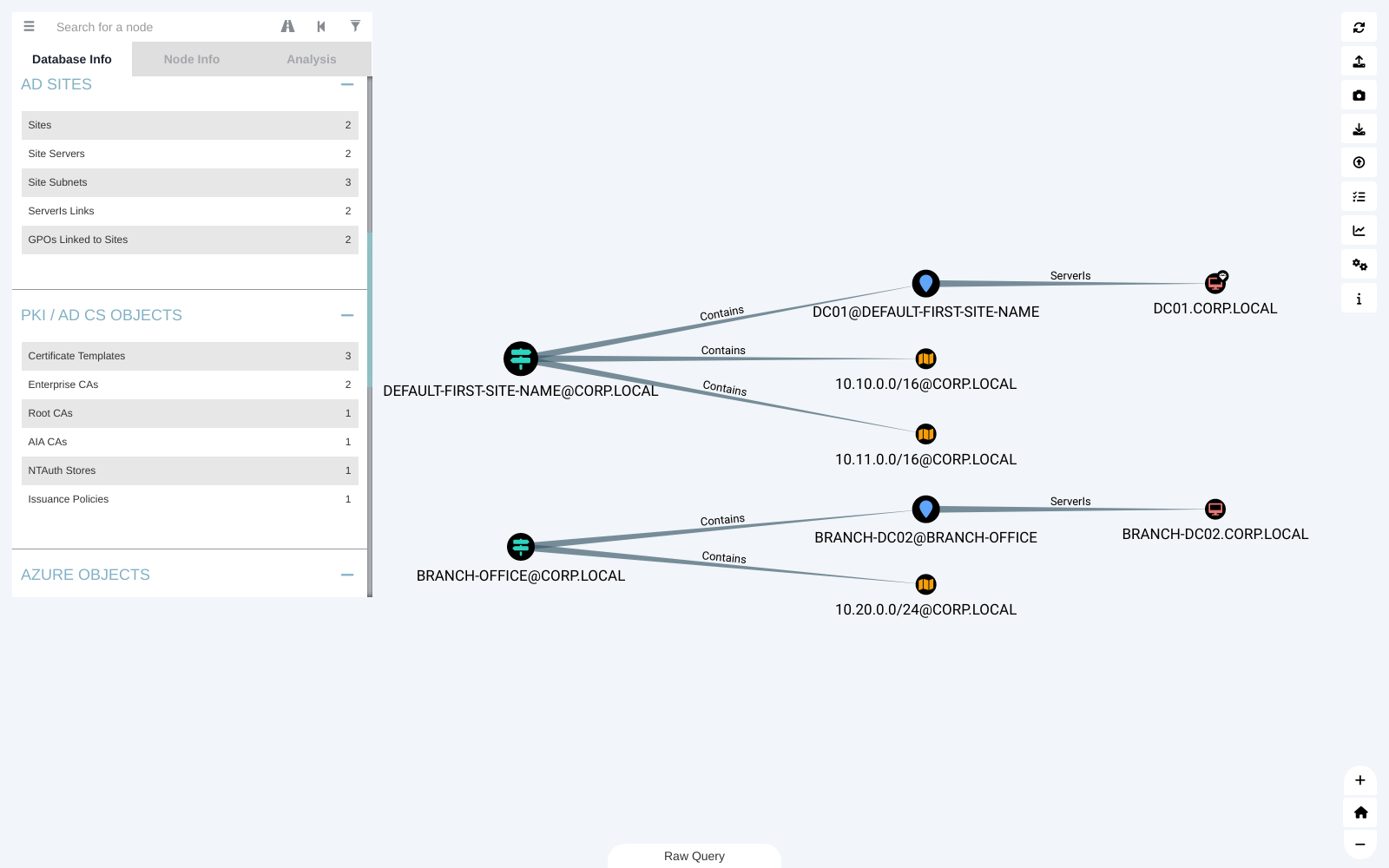
Database Info gains AD SITES and PKI / AD CS OBJECTS sections.
Why Site ACLs Are a Tier 0 Problem
An AD site maps a physical network location - a set of IP subnets - to the domain controllers that serve it. Windows uses sites for three things:
- DC location. Clients find a domain controller in their own site, so logons stay local instead of crossing a WAN link.
- Replication. Replication between DCs in the same site is fast and frequent; between sites it follows the site links and schedules you define.
- Group Policy. A GPO can be linked to a site, and it then applies to every computer in that site - including the domain controllers. Site-linked GPOs apply before domain and OU GPOs.
Sites live in the Configuration partition, which replicates to every DC in the forest, so a single site can hold DCs from more than one domain.
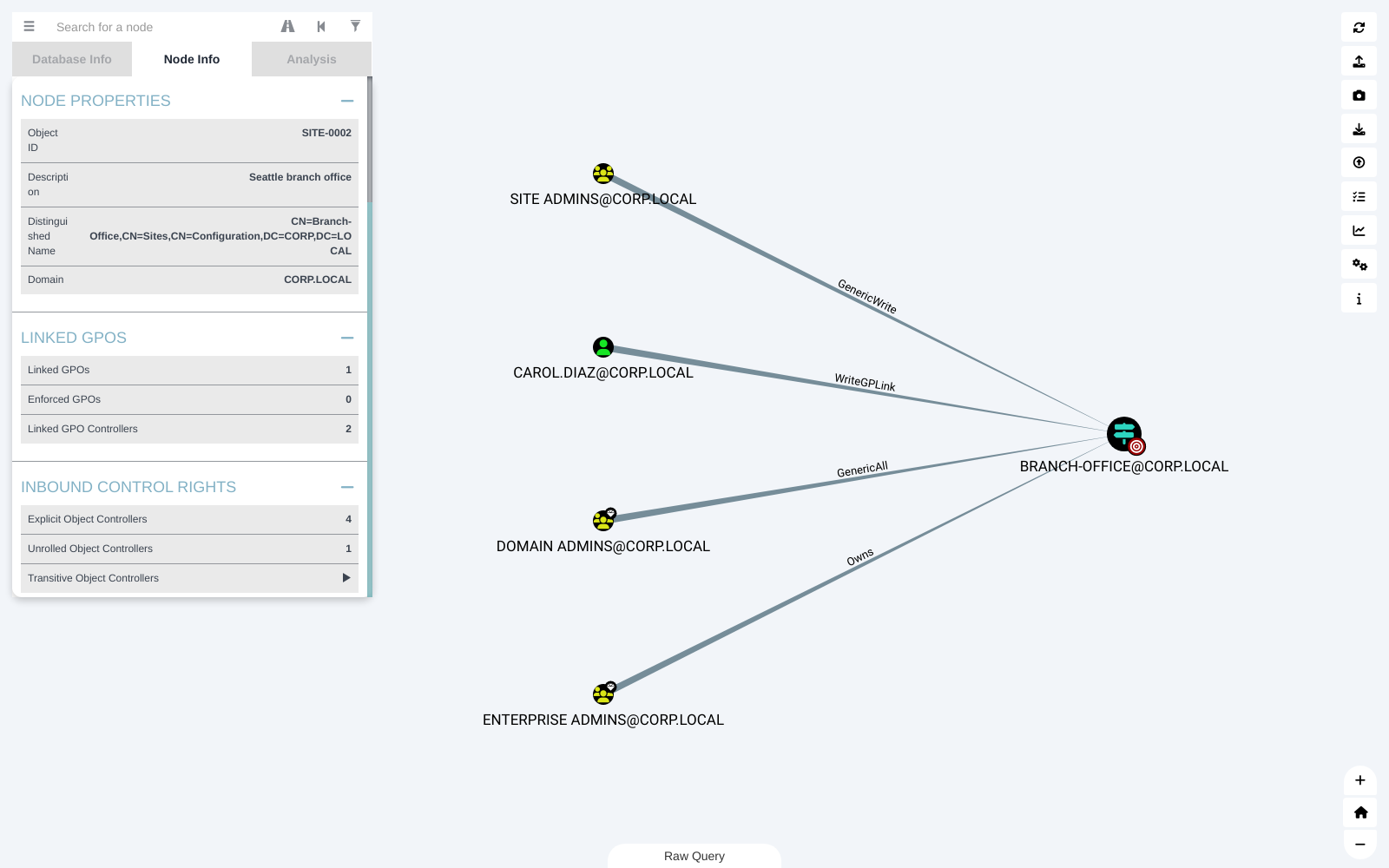
That third point is the problem. Whoever can change a site's GPO links can influence its domain controllers. Rights that allow this include WriteGPLink and broader rights over the site object such as GenericAll, GenericWrite, WriteDacl, WriteOwner and Owns. A principal that can edit any GPO already linked to the site can affect those DCs the same way.
Sites are often delegated to network or infrastructure teams so they can manage subnets, and those delegations are easy to leave broader than intended. If a site contains a DC, treat control of that site as control of Tier 0.
What It Looks Like in the Graph
In the demo domain, CAROL.DIAZ - a network engineer, not an administrator - has WriteGPLink on the BRANCH-OFFICE site and owns a GPO created for testing. BRANCH-OFFICE contains the site server for BRANCH-DC02, a domain controller. The graph shows the path from a non-admin account to a DC and the domain:
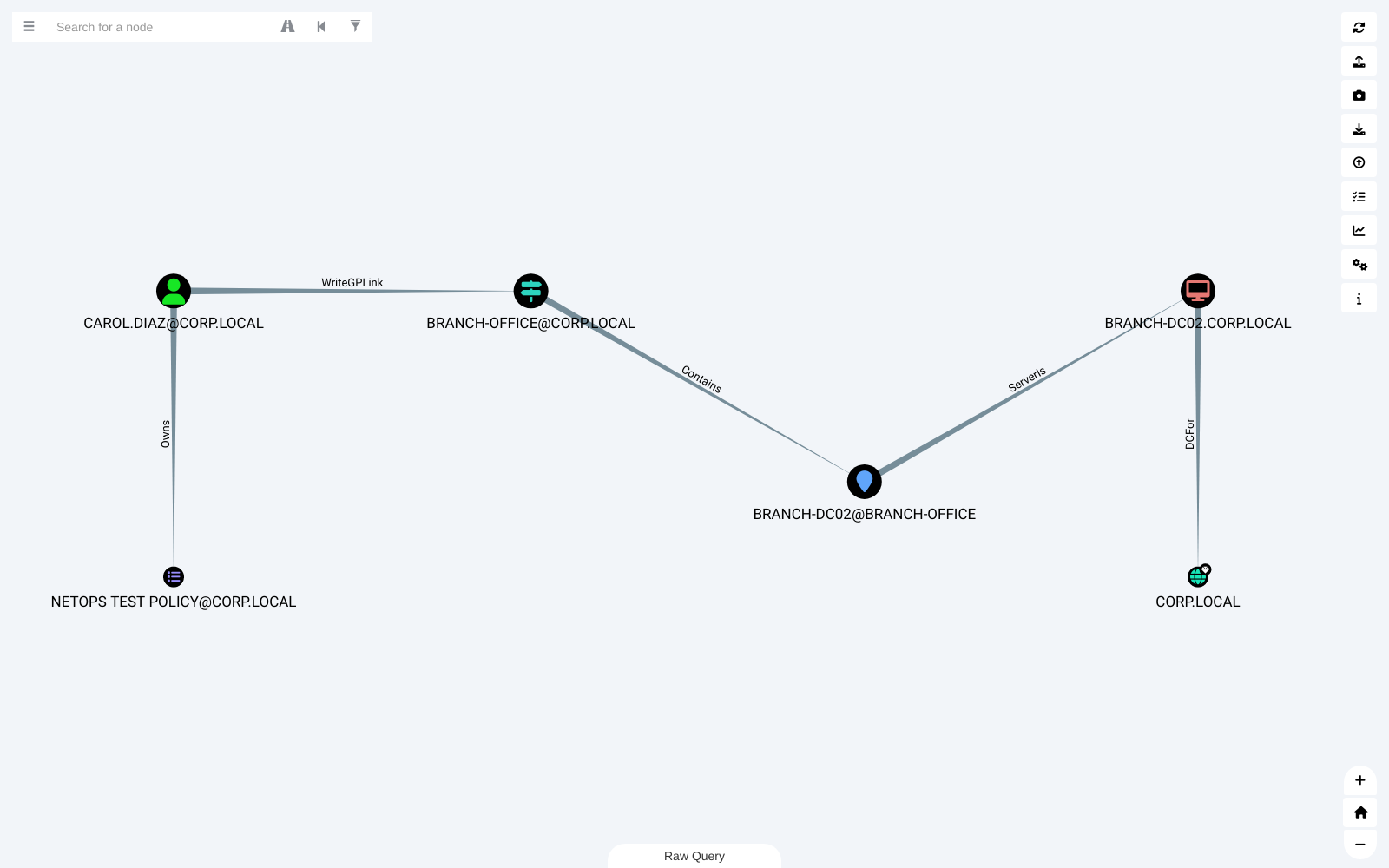
There's a second path to the same site: DAN.KIM has GenericAll on BRANCH SECURITY BASELINE, a GPO already linked to BRANCH-OFFICE - it's the one in the Linked GPO Controllers screenshot above. Neither account should have this reach.
Finding and Fixing It
In the fork, open a Site panel and check Inbound Control Rights and Linked GPO Controllers. To list every principal with control over a site that contains a DC, run this in Raw Query:
Then:
- Remove
WriteGPLinkand broad write rights on site objects from anyone outside Tier 0. Subnet management doesn't need them. - Lock down every GPO linked to a site that contains a DC, the same way you would a GPO linked to the Domain Controllers OU.
- Monitor changes to the
gPLinkattribute on site objects with directory service change auditing (event 5136 - see the event IDs that matter). - Review who can create GPOs (Group Policy Creator Owners).
AD CS Panels (1.3.0)
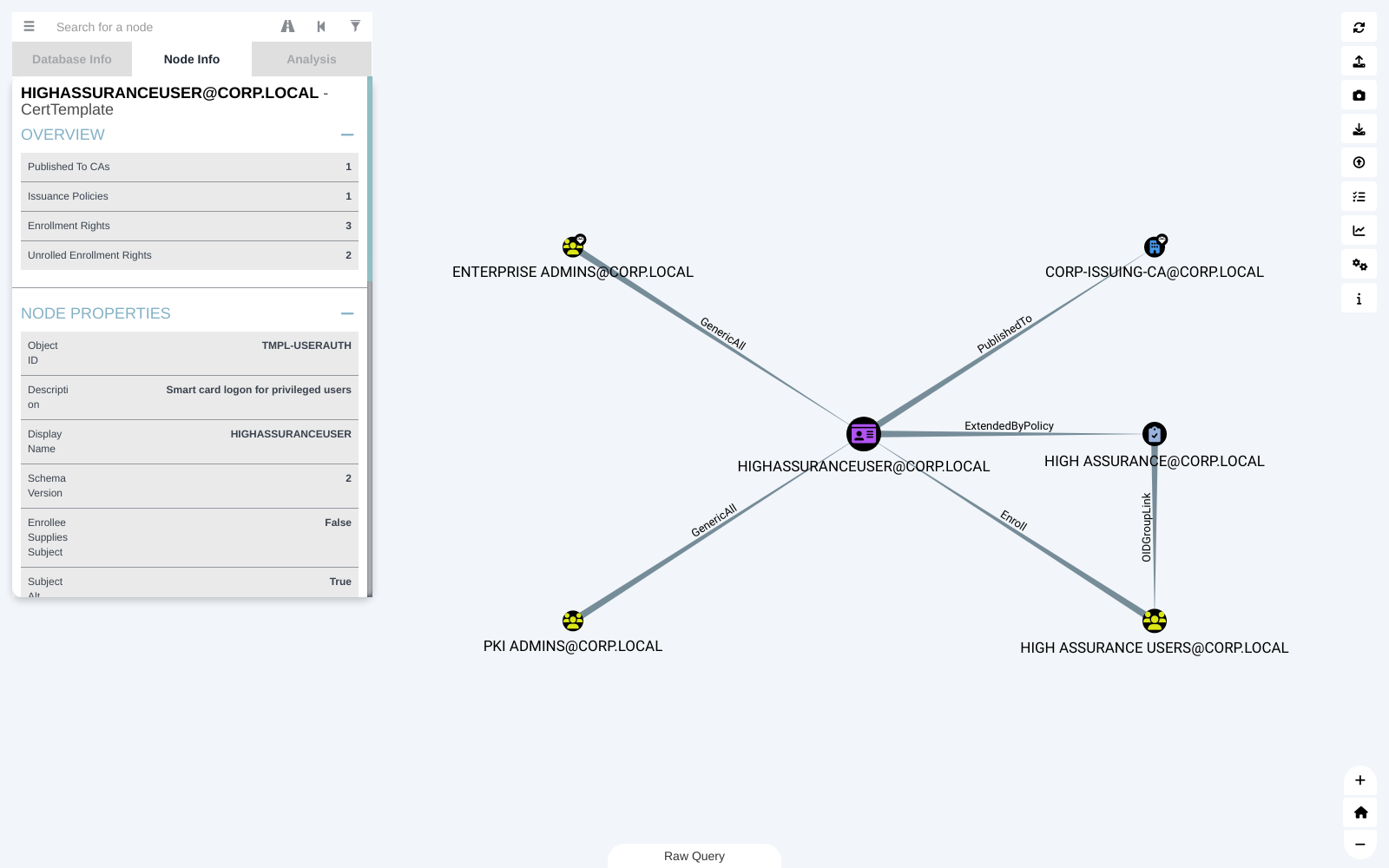
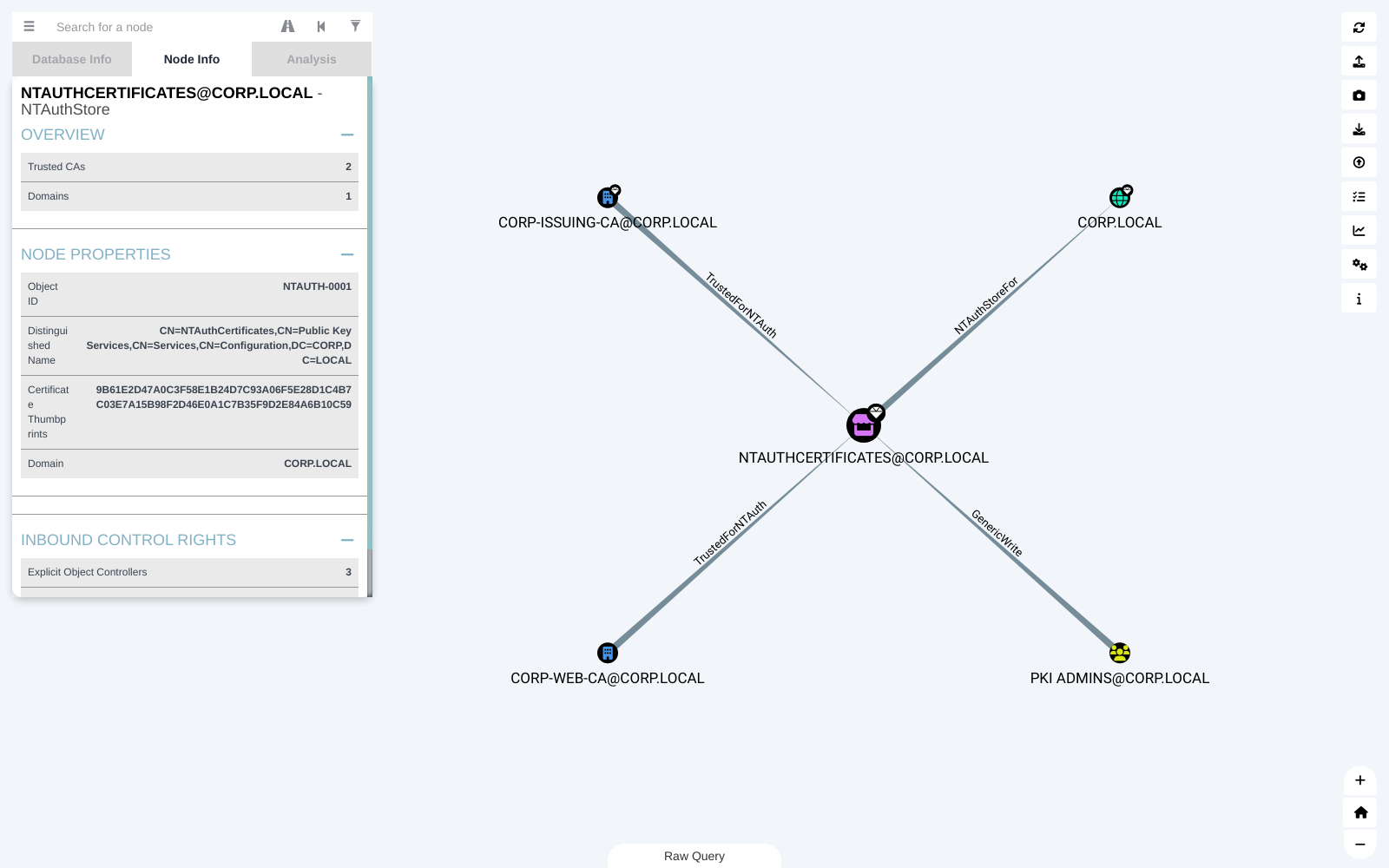
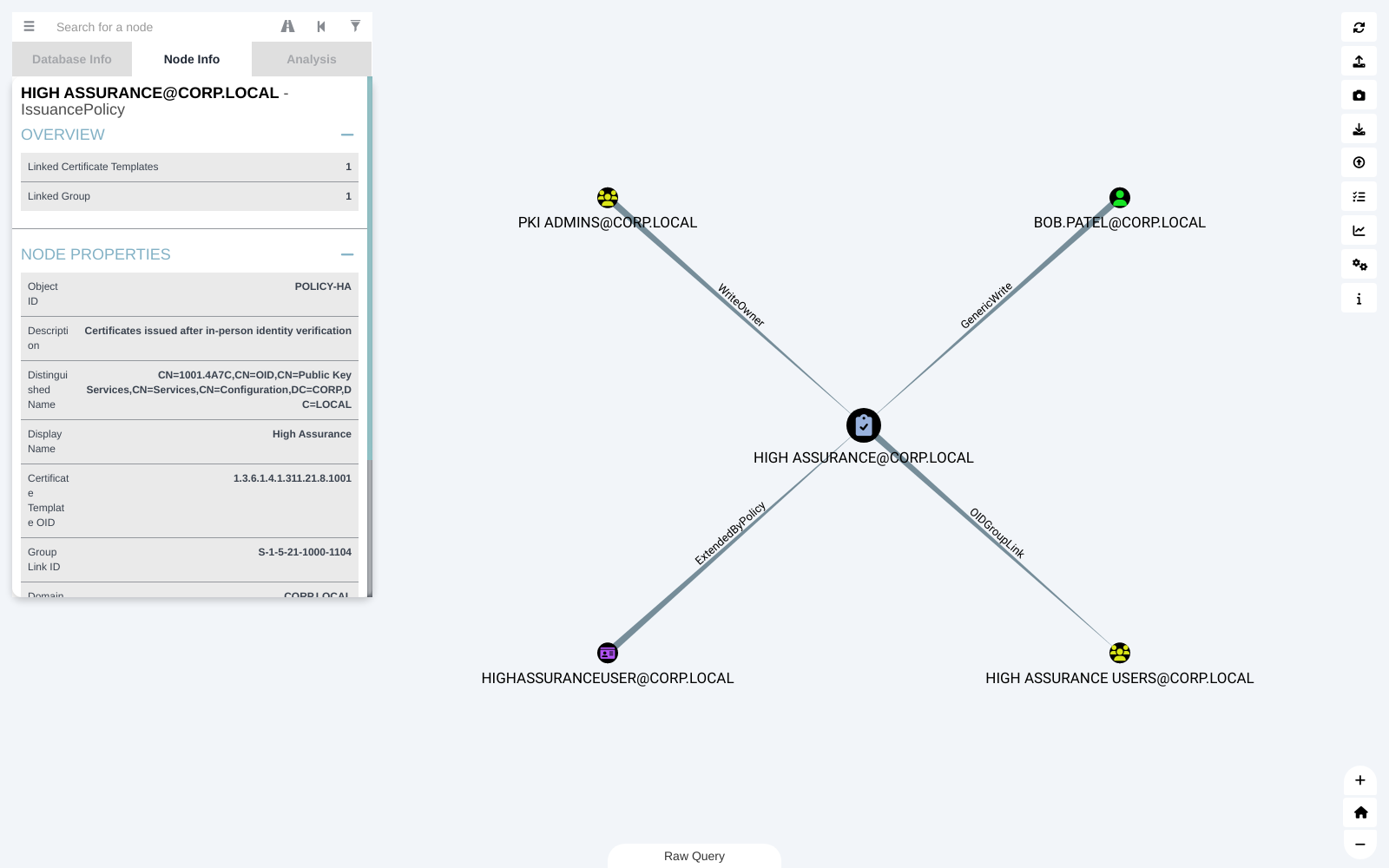
Enterprise, root and AIA CAs, NTAuth stores, certificate templates and issuance policies now open their own panels instead of the generic CE Properties panel. CA panels start with a PKI HIERARCHY section.
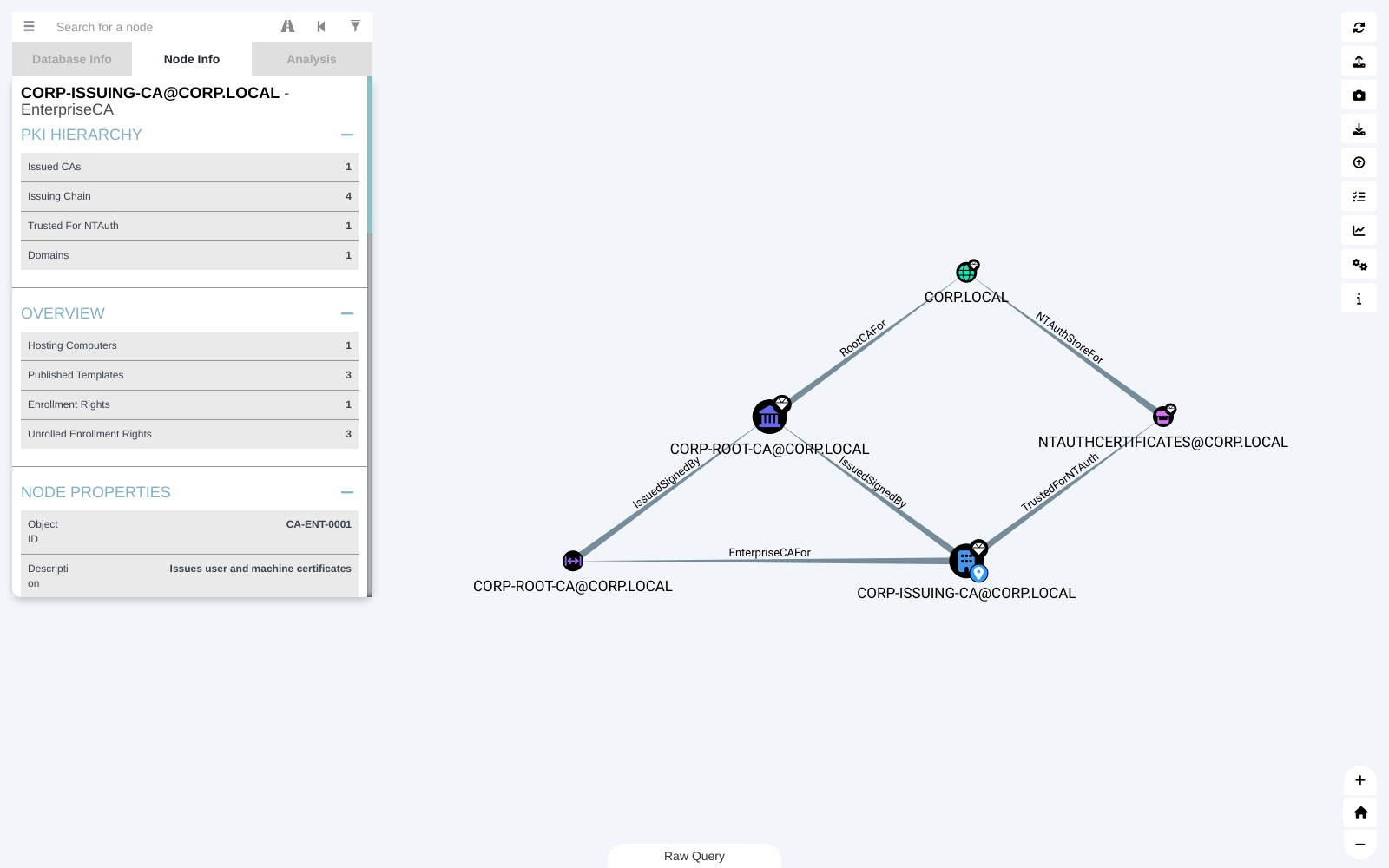
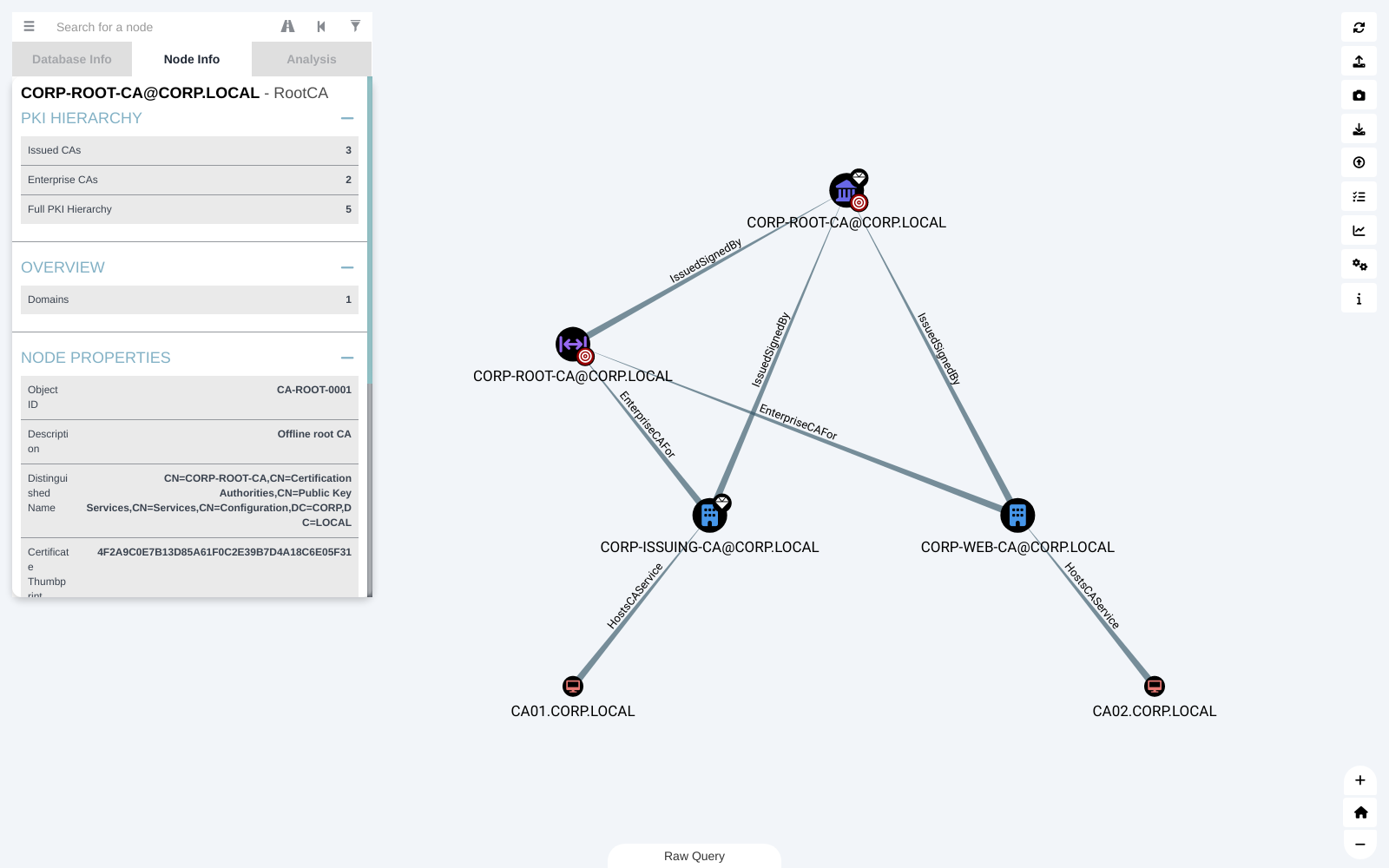
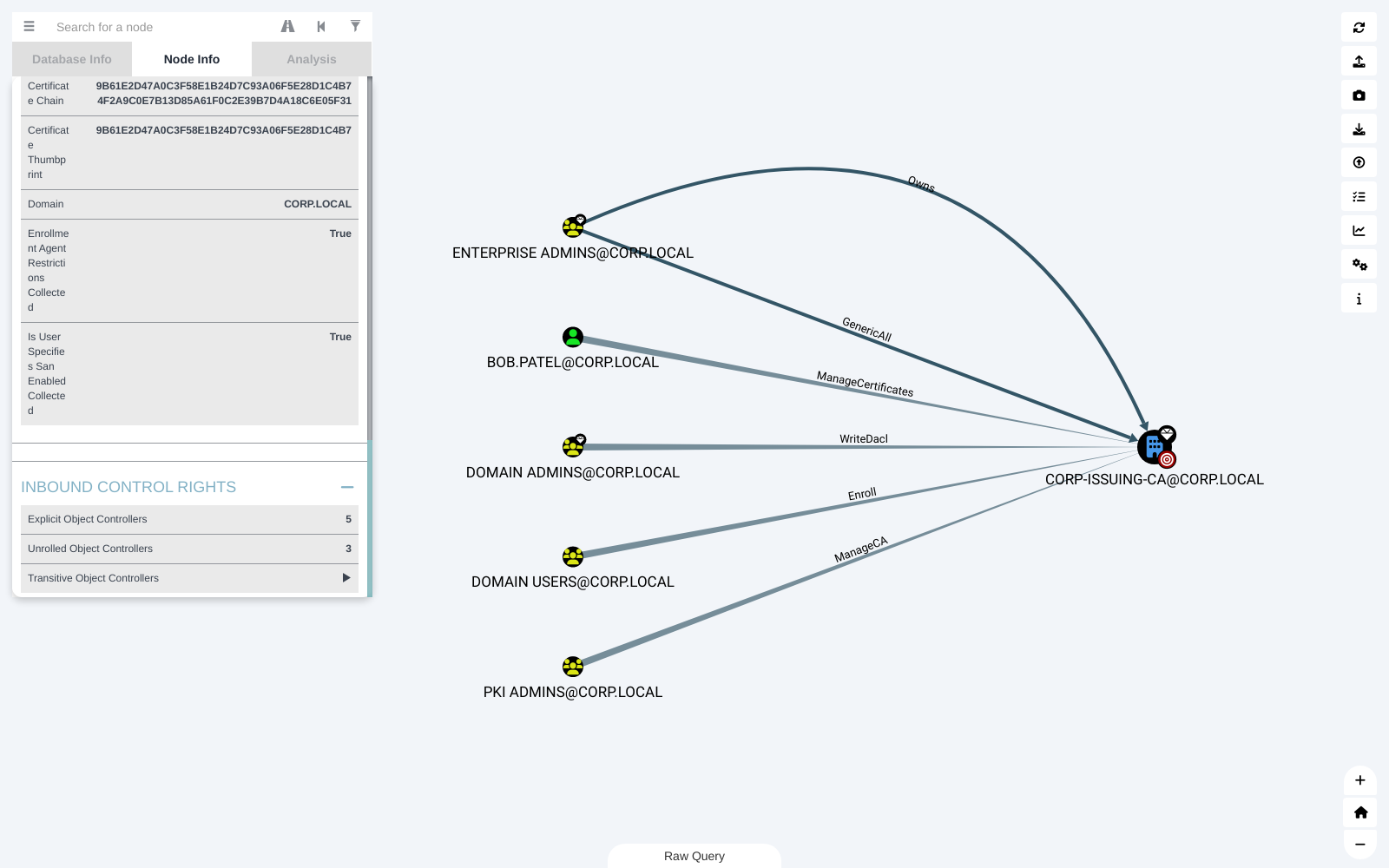
Every AD CS panel has Inbound Control Rights - explicit, unrolled and transitive - over the edges CE counts as control, including ManageCA, ManageCertificates, Enroll and the PKI flag writes.
Local Groups and Users (1.3.0)
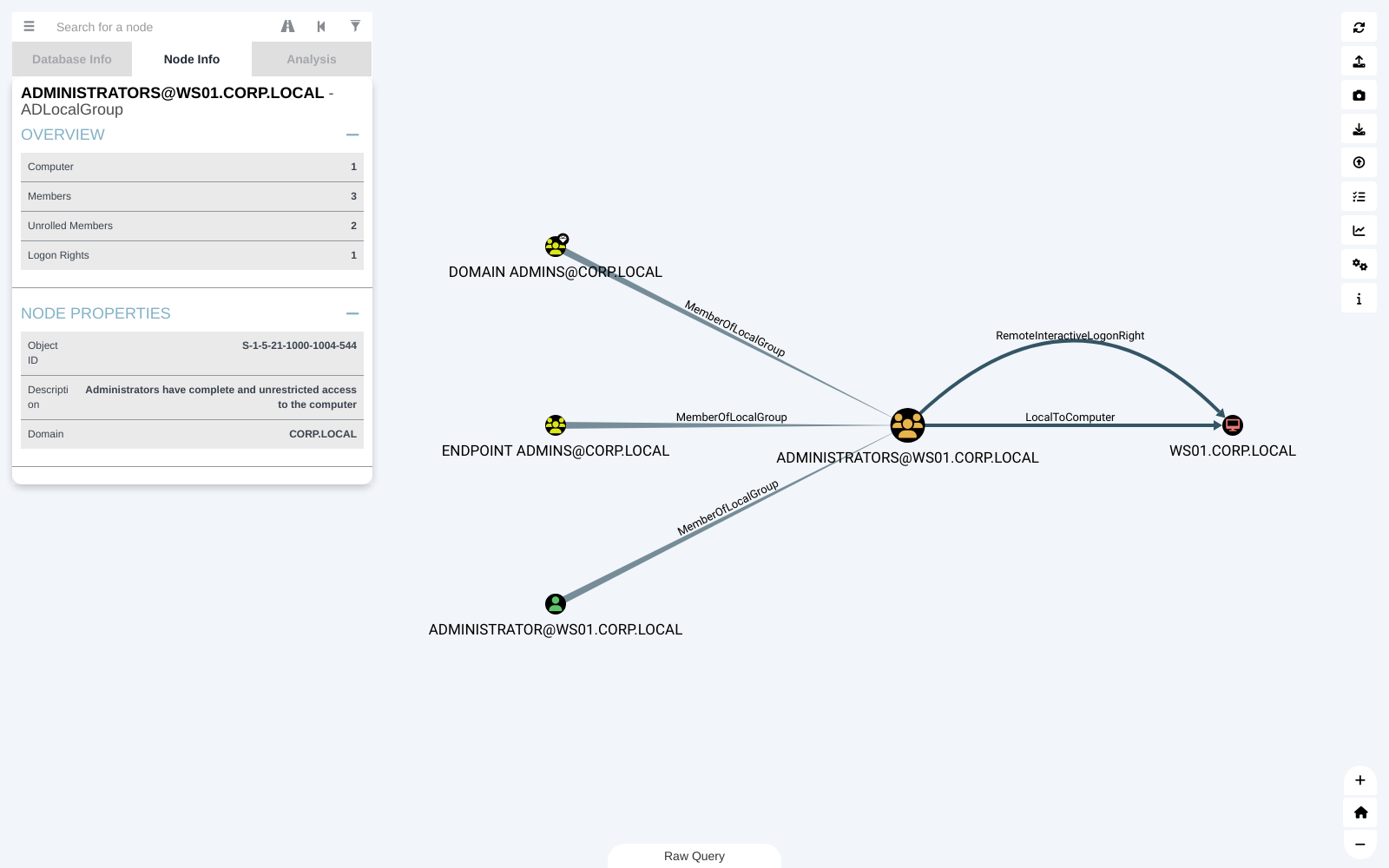
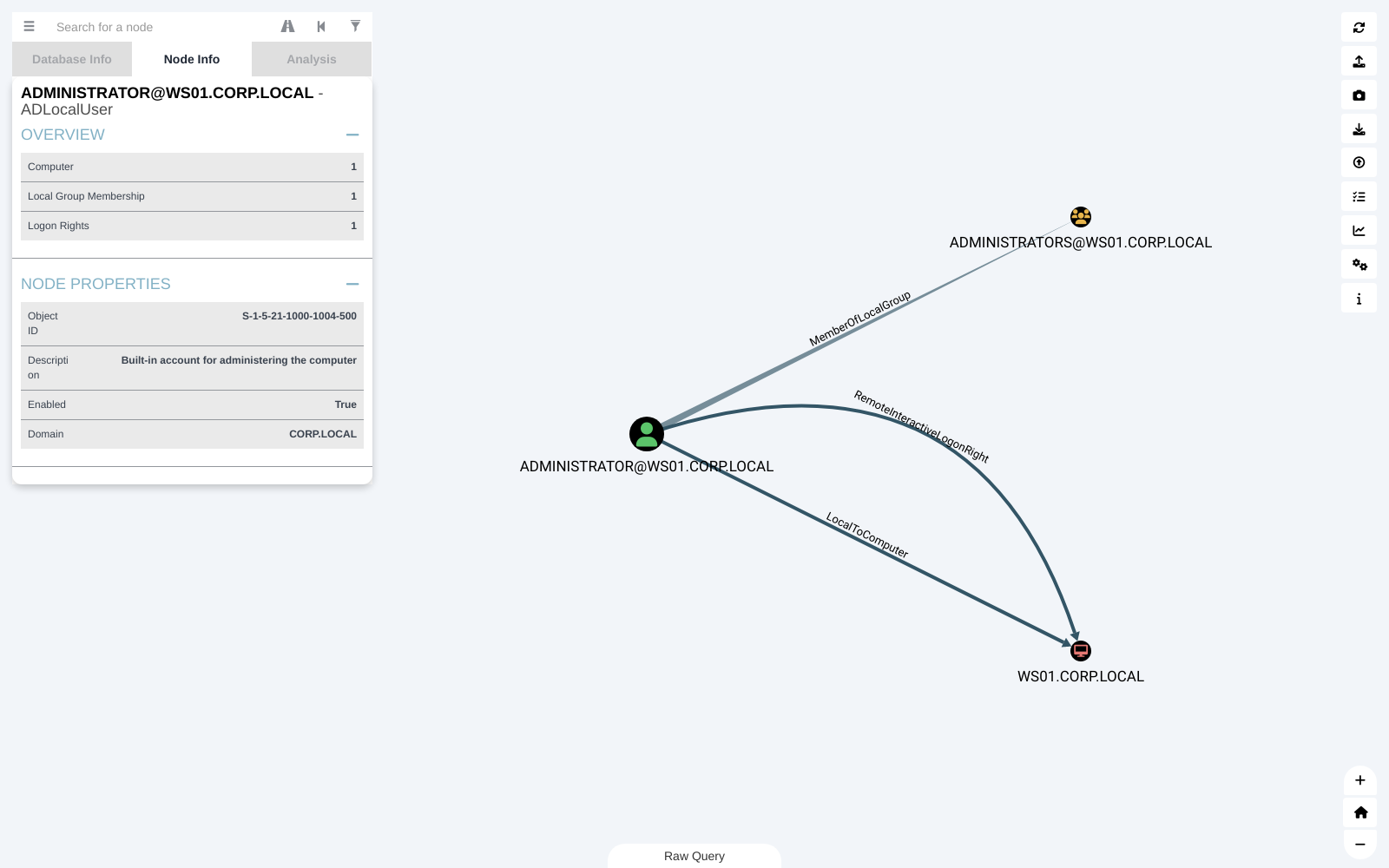
ADLocalGroup and ADLocalUser nodes from CE's local group collection show their computer, members or memberships, and logon rights.
More Control Sections (1.3.0)
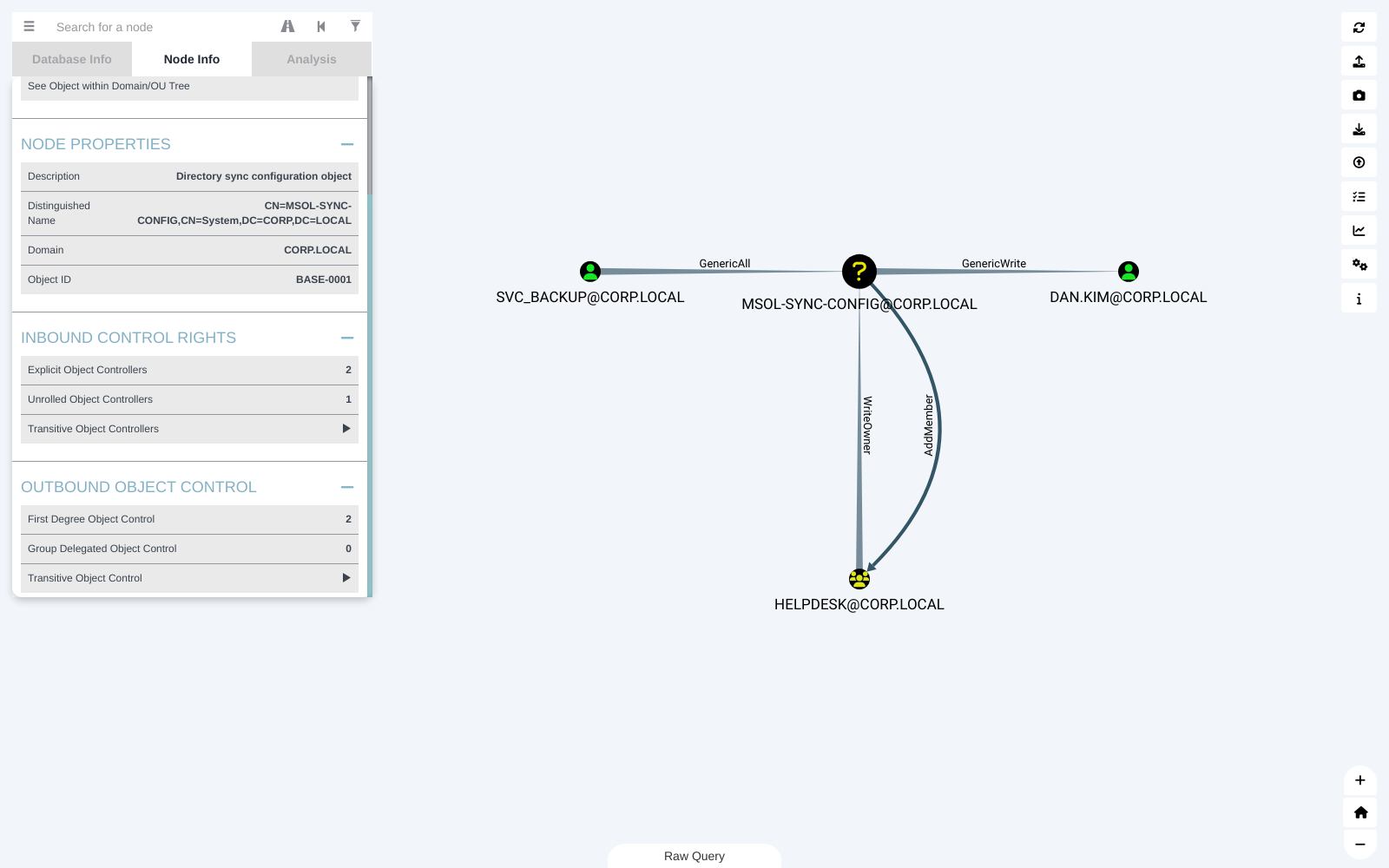
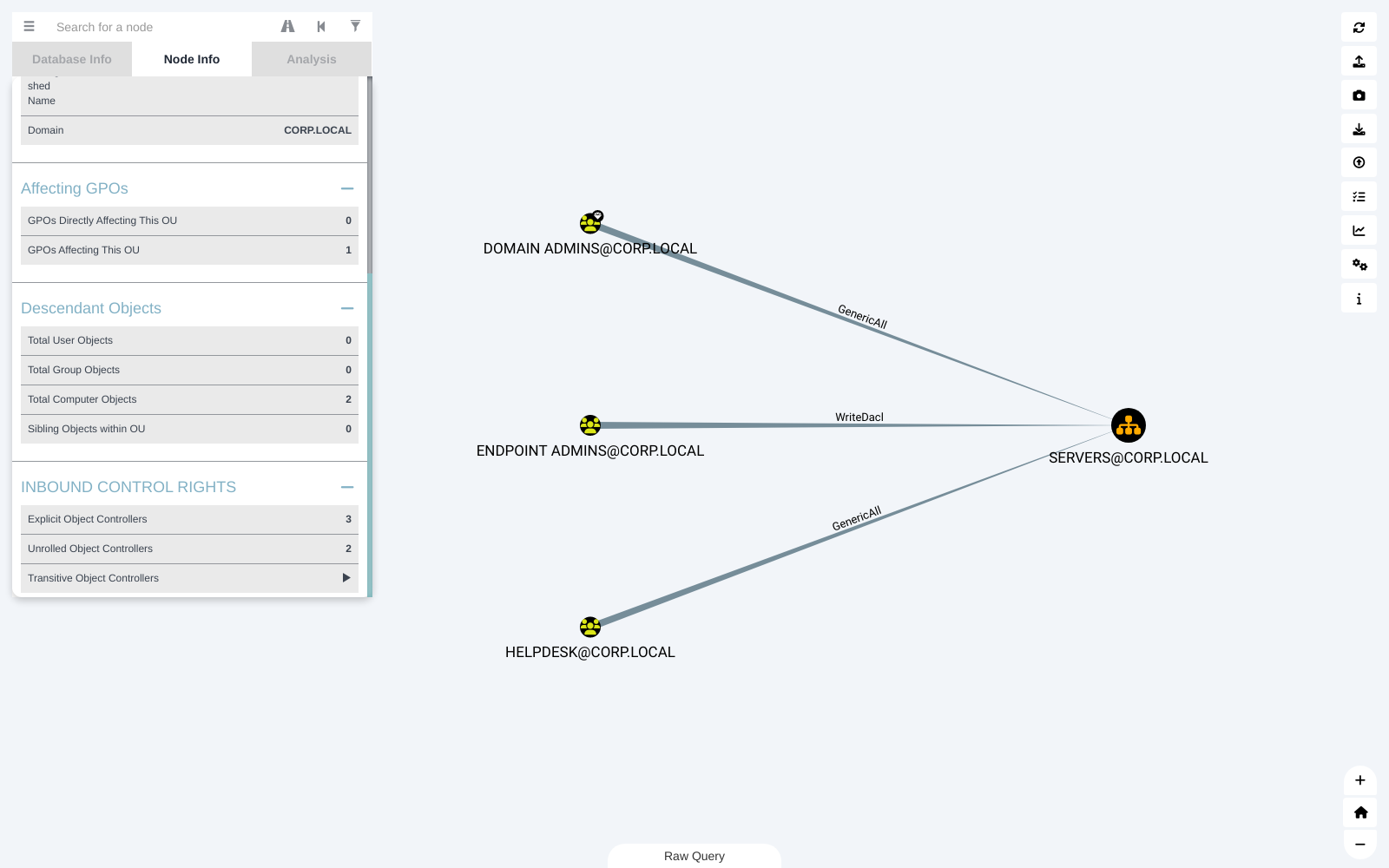
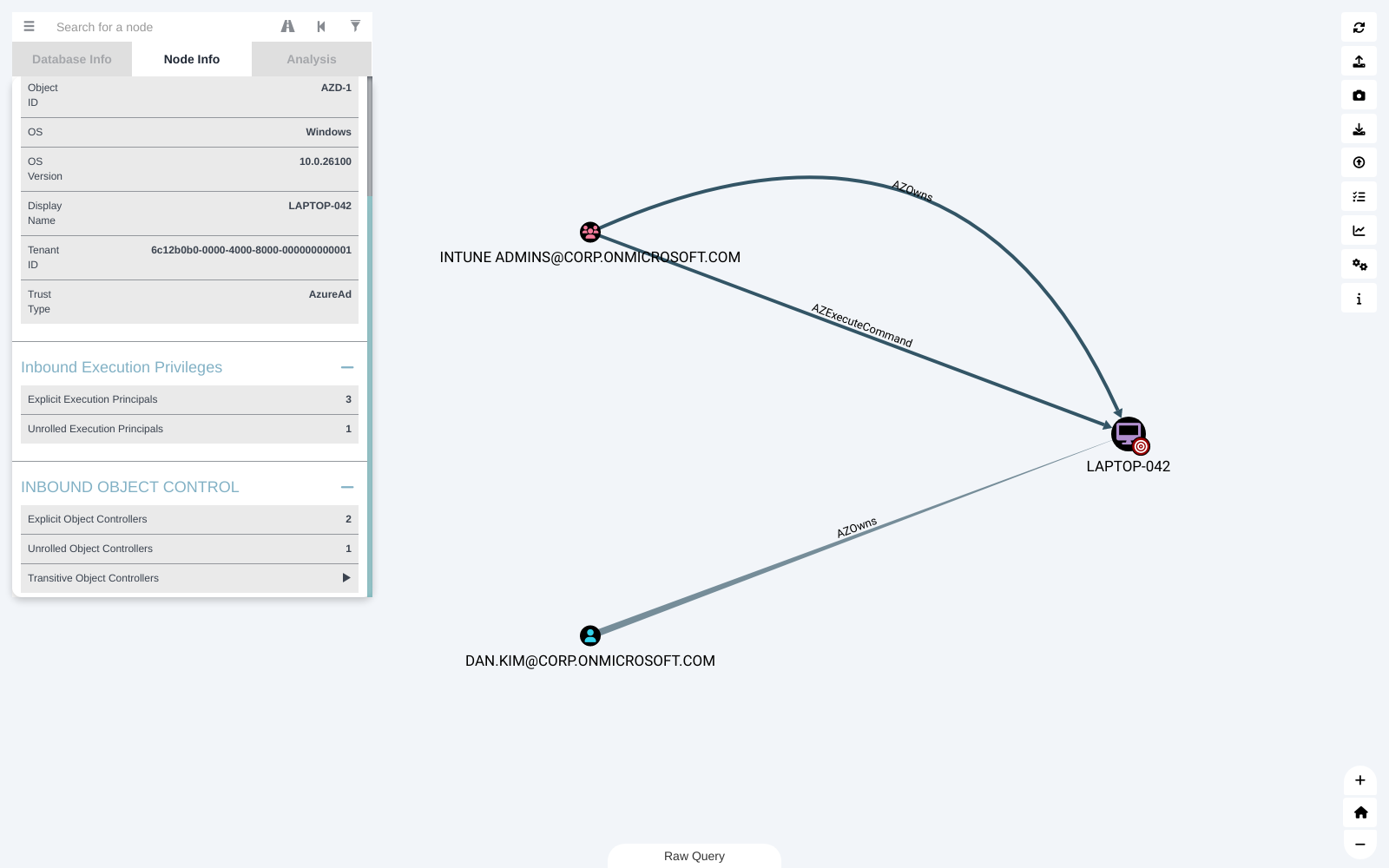
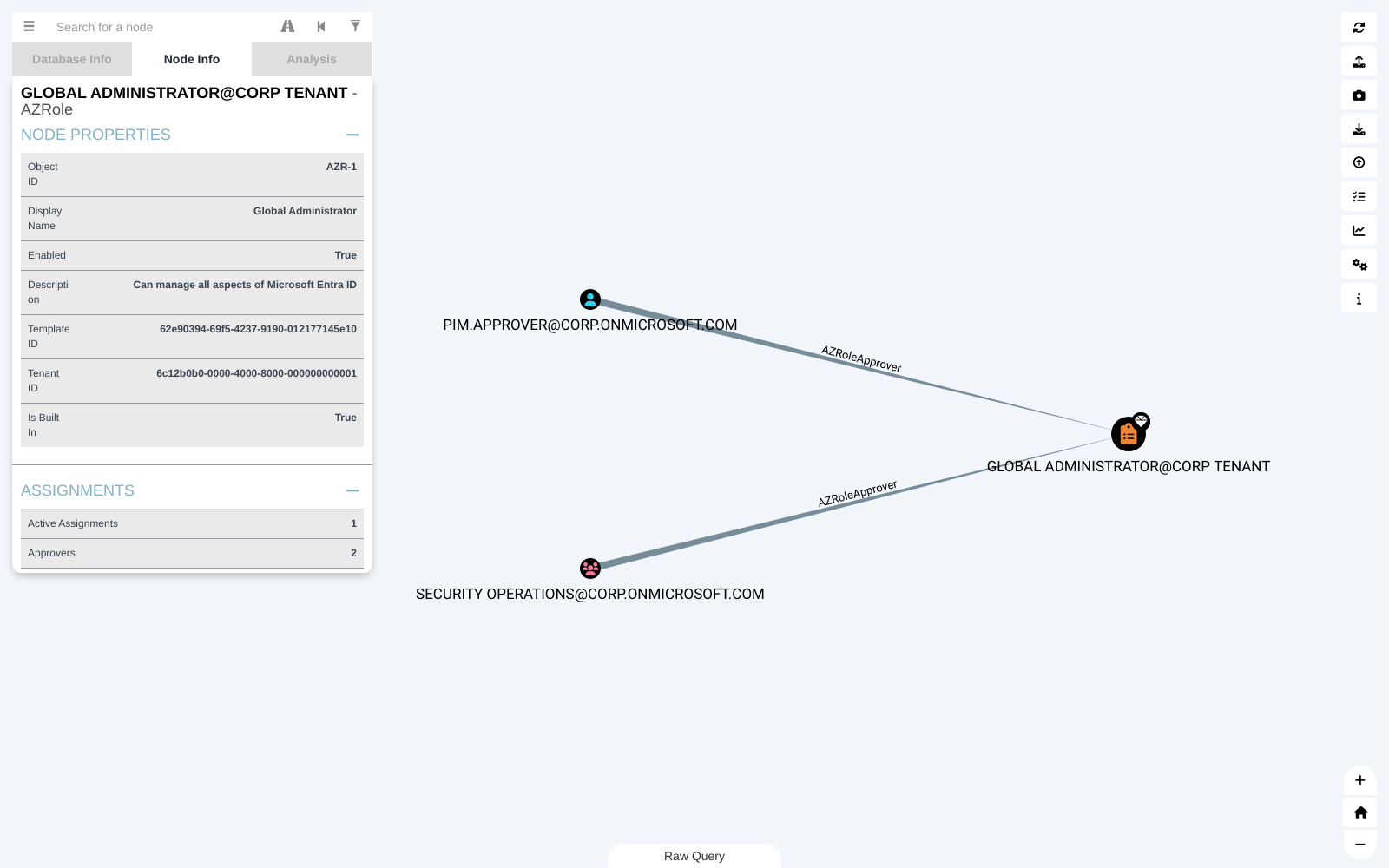
Base nodes show inbound and outbound object control. Containers and OUs show inbound control rights. Azure devices show inbound object control, and Azure roles show their approvers.
Panel Clean-Up (1.3.0)
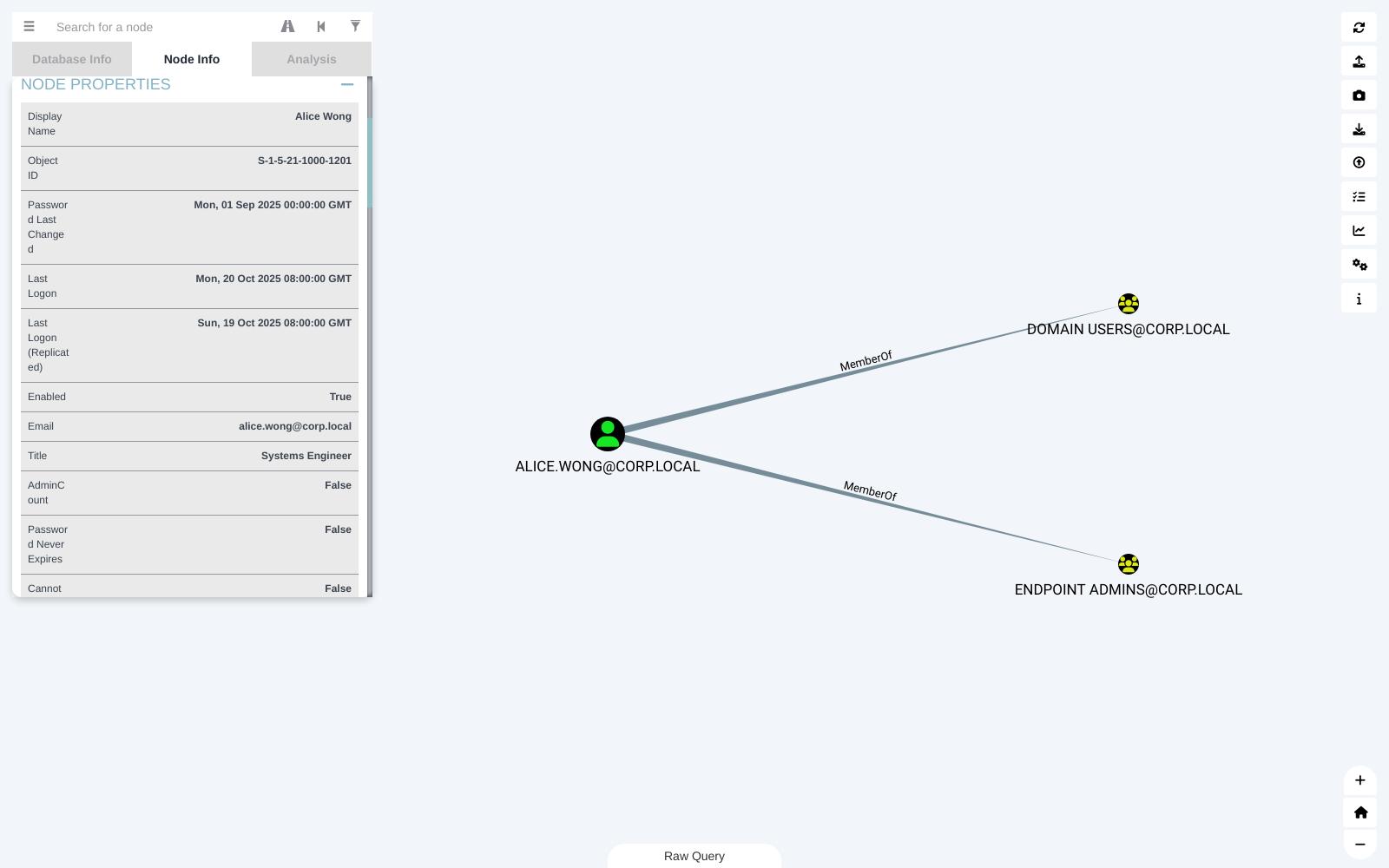
- Object type next to the name. Every panel title reads "Name - Type", so you can see what kind of node is selected at a glance - it's visible in every panel screenshot above.
- One Node Properties section. Each panel lists its usual fields first and then every other property, so the separate Extra Properties and CE Properties sections are gone. Labels use CE's own display names, which fixes broken labels like "Admin Is Trators".
Smaller Improvements (1.2.0)
Search results and the spotlight use the same icon table as the graph, so AD CS, Sites and newer Azure kinds show the right icon instead of a question mark.

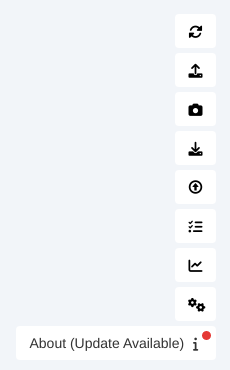
When a newer release exists, the About button shows a red dot and an "Update Available" label. The app never downloads or installs anything itself.
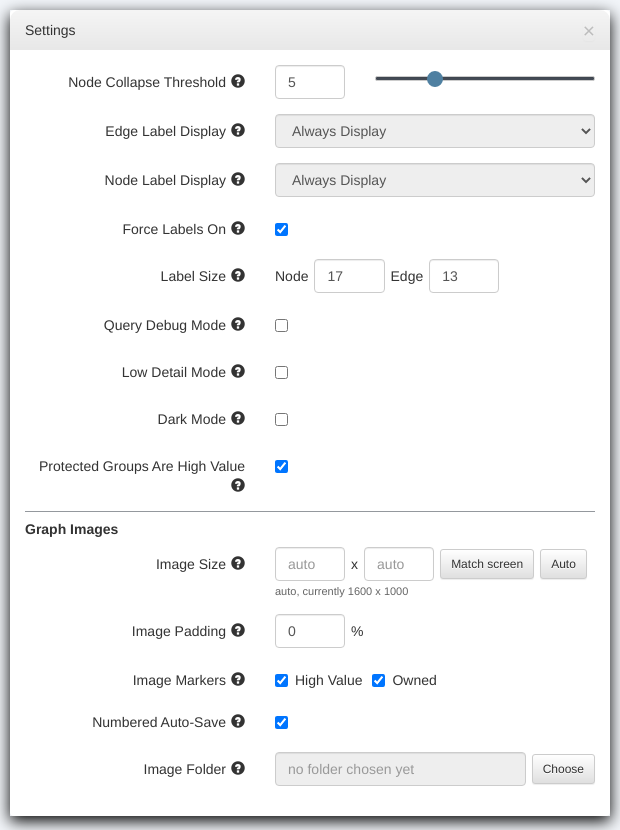
New installs save graph images with 0% padding. If you'd already changed an image setting, your saved padding is kept.
Getting It
Download the zip for your platform from the latest release on GitHub - there are builds for Windows, macOS and Linux. Unzip and run it; it connects to Neo4j 4.4, the database BloodHound CE uses.
First launch: the builds aren't code-signed, so your OS will warn you the first time. On Windows, SmartScreen shows "Windows protected your PC" - click More info, then Run anyway. On macOS, right-click the app and choose Open, then Open again.
Your settings and custom queries live in the app's user data folder, so replacing an existing install keeps them.
As before, this fork is maintained separately and isn't affiliated with or supported by SpecterOps - if something renders wrong against your data, open an issue.